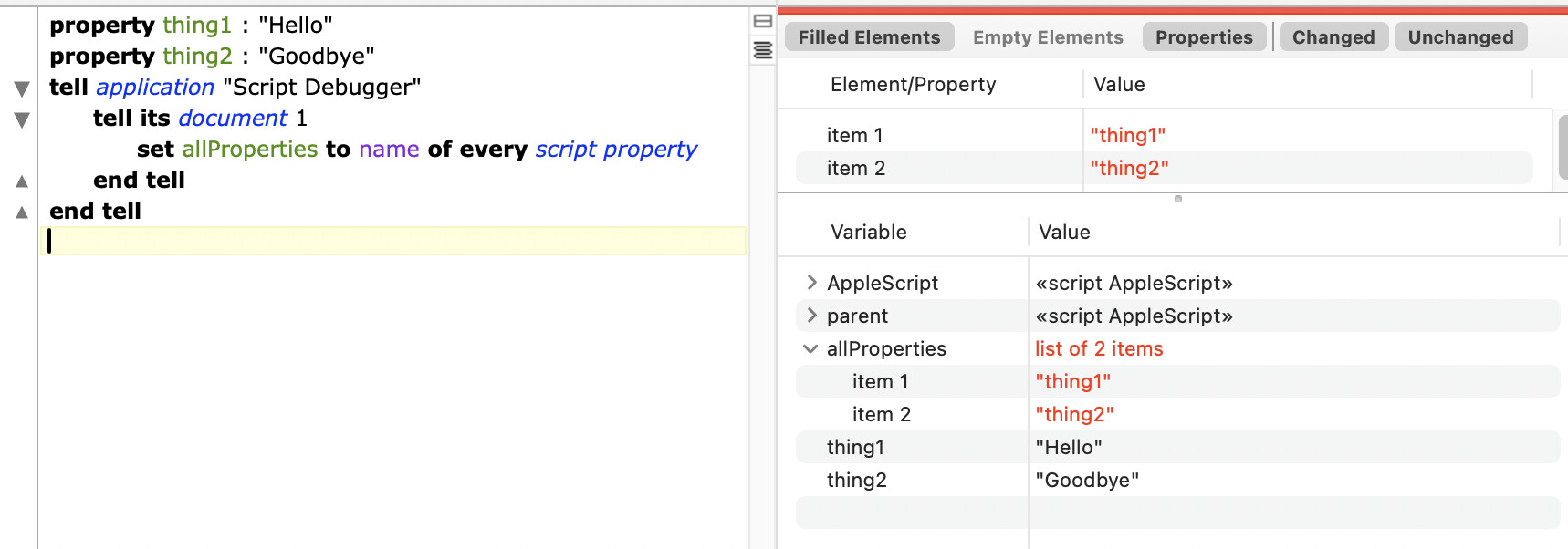
property thing1 : "Hello"
property thing2 : "Goodbye"
tell application "Script Debugger"
	tell its document 1
		set allProperties to name of every script property
	end tell
end tell
When I run the above script, I get:
{
	"required import items",
	"thing1",
	"thing2"
}
It seems simple enough to just ignore the “required import items” bit.
OK this is the command that is in a script that has run flawlessly for years and now errors out.
property thing1 : "Hello"
property thing2 : "Goodbye"
tell application "Script Debugger"
	tell its document 1
		set allProperties to rest of name of every script property
	end tell
end tell
After toying with this for a while the command I posted above also began to fail, but worked after a SD restart.
I had already come up with a couple workarounds before I posted, this wasn’t a call for help but more reporting a bug. (I pull the property names in a handler, outside the SD tell).
Try that inside a Script Debugger tell.
property thing1 : "Hello"
property thing2 : "Goodbye"
property propList : {10, 20, 30, 40}
set anylist to {0, 1, 2, 3}
tell application "Script Debugger"

   tell its document 1
      set anylist to the rest of  anyList
      set propList to the rest of propList
      set allProperties to rest of (name of every script property)
   end tell
end tell

-->>Script Debugger got an error: Can’t make rest of name of every script property of document 1 into type reference.
Here’s what’s relevant:
The script in question has been working for years without fail. Ever since PrefsStorageLib was released. (It’s function is to set up the script for prefs storage).
I believe it stopped working with the last OS release.
It only happened inside a SD tell, and seemed to leave SD unstable after a number of repetitions while I was figuring out the details.
I hope it’s not a sign of a deeper issue. I haven’t noticed any other anomalies since upgrading.
But you left out the get I included before name – that’s what forces resolution of the list from a reference, making rest of work.
It shouldn’t be needed and I have no idea why AS is suddenly behaving differently, but this sort of issue with resolving complex references has been cropping up unexpectedly for a long time, and inserting an explicit get often resolves the problem.