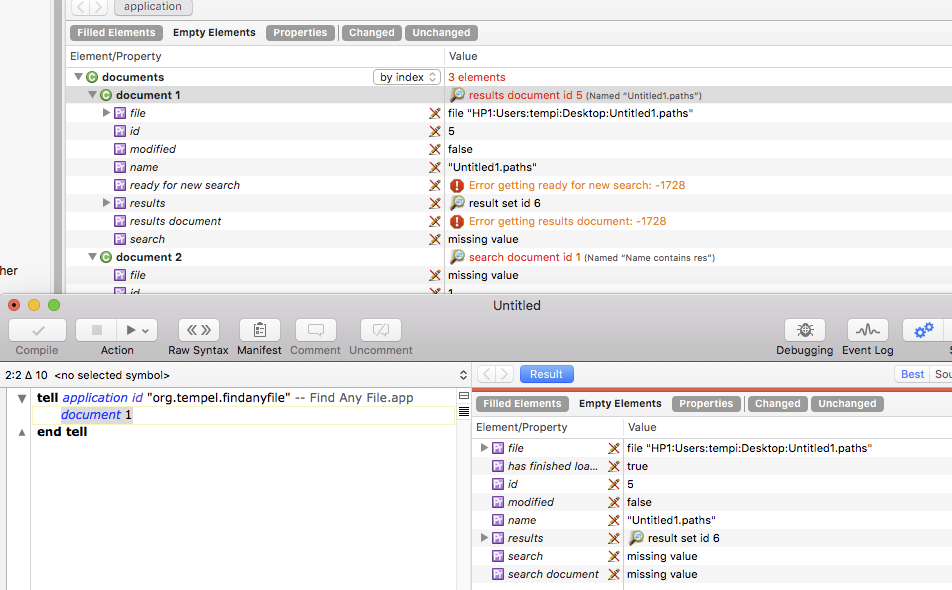
In short, when I use SD’s Explorer to look at elements of a class where the elements can be of different type (e.g. different subclasses of window), it eventually (after closing and opening windows) either shows the properties of a different class or even freezes entirely.
After a restart of SD, the properties are shown correctly again. Also, when viewing the same properties from a running script, they’re correct - it’s only the Explorer that messes them up after a while.
I suspect that SD caches the properties for the array elements, and uses the current indexing scheme to match them up – and when the order gets reshuffled later (e.g. by closing and opening windows), the matching is broken. The fix would be to always match them up by their unique ID if possible.
Is this a known issue with SD (7 and 8)? Has anyone seen this happen with other apps?
Here’s an example, where it has confused the properties (above, note the -1728 errors) versus the correct properties below from the script’s result. Those are the unavailable properties.
In Preferences/Settings on the Dictionary tab, there’s a popup that lets you specify how elements are accessed – by index, ID, or name. It sounds like you have that set to index.
In the same place you can turn off dictionary caching.
However, while switching to ID does indeed now show the windows listed by their id instead of by their index, the properties still keep getting confused once I change the window order and have mixed window sub classes shown.
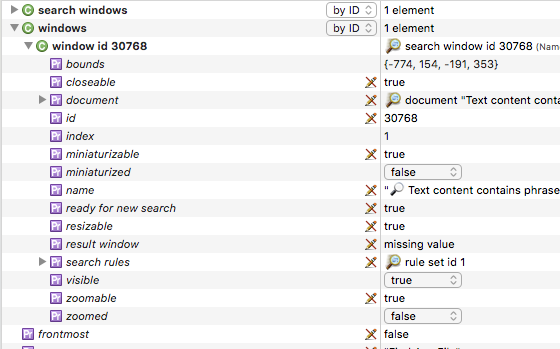
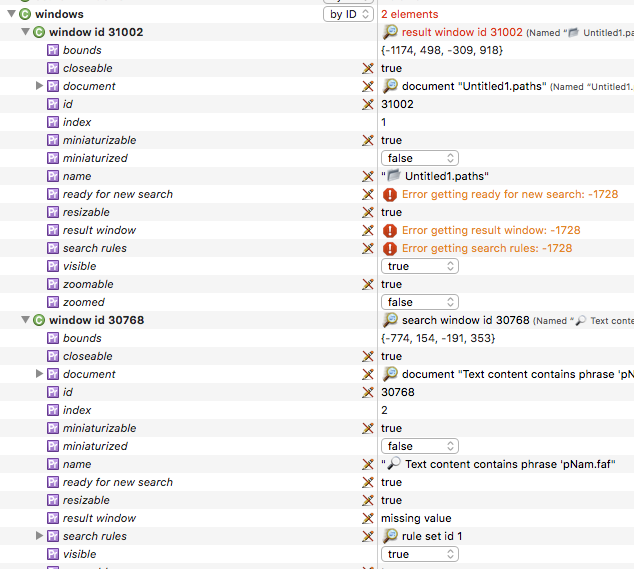
Now that I know what to look for: When I first have a single window of class A, and then open another window of class B which is now the first (because they’re from the app’s orderedWindows), then SD still tries to show the properties for the first item based on A’s properties, even though it’s now showing window type B there.
This is clearly seen (and reproducible) here, where I first have a window of type “search window”, and then open a second one, which is now at first place, of type “result window”:
I believe I am able to reproduce the issue within SD itself, as well:
First, open a script window, then the explorer window, exploring SD itself. Open its windows. It’ll show the Explorer window first, because that’s on top, and the script editor window second.
Now activated the script editor window and then cmd-click on the refresh button in the explorer window’s toolbar. But using the cmd button, the click goes to the background window without bringing it forward - now the script window will be the first of the windows - and it’ll show the same issue: SD tries to show properties from the explorer window for the script editor window.
Thank you for confirming. I can live with that, just have to keep it in my old mind when seeing this again in a few months and getting worried again that I did something wrong